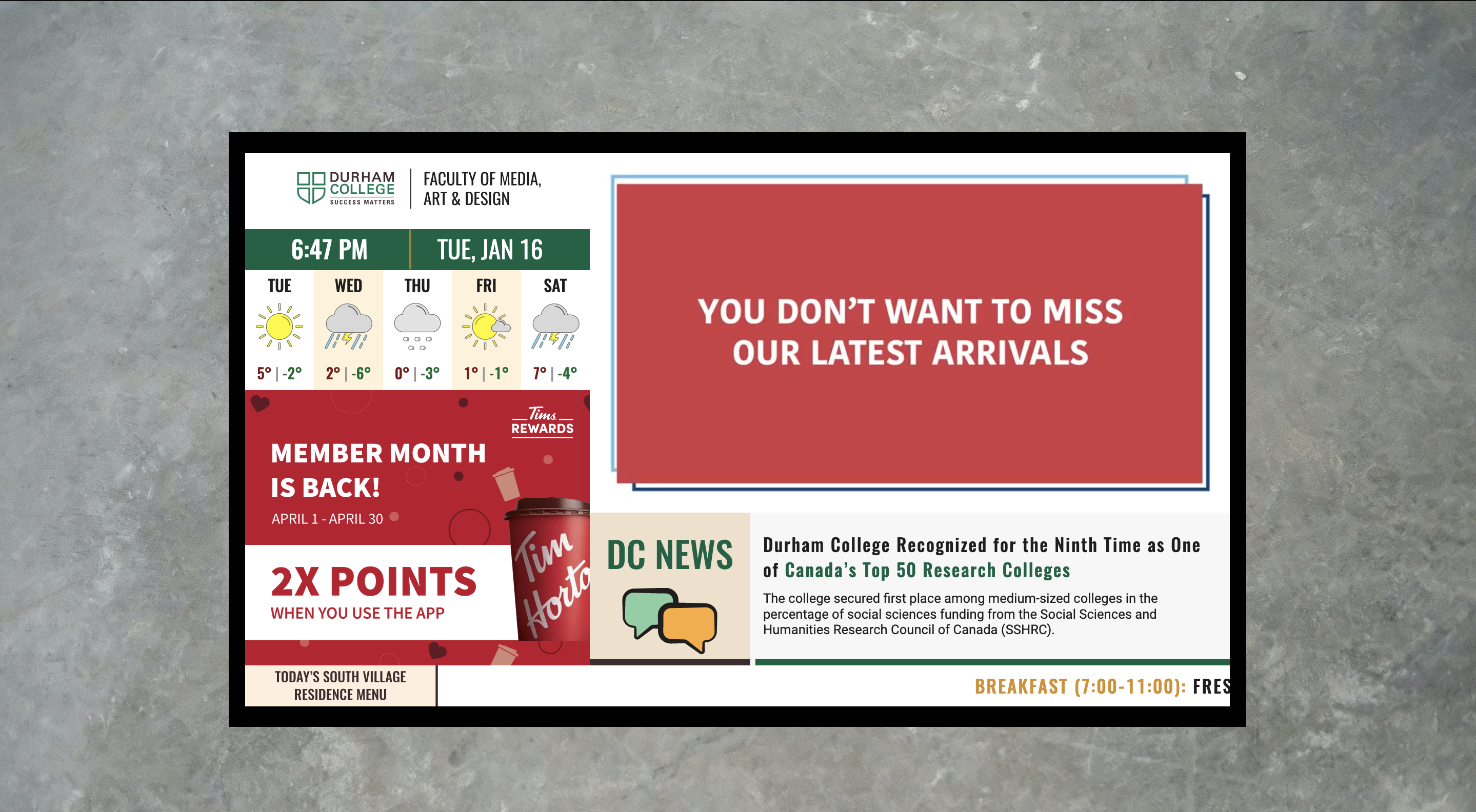
This digital signage was made for Durham College for one of their flat screen tv’s throughout the college
itself. These digital signs are meant to have important information pertaining to the specific day,
including: the time, date, weather, menu items, advertisements and more. This can be very helpful to people
walking through the college and this type of signage is very popular in the world, so they are very relevant
to all.
That electronic signage designed during my journey in the Interactive Media Design program at Durham
College. My purpose was to create an instructional and informative screen displayed in Durham College Media,
Arts & Design Office. Following the brand guide, I also brought Geometric shapes to the design with new
graphics and icons, typography and colour contrast using secondary tones described in the guide book. To
conclude the project, I developed three different motion graphic promotional videos to add to the signage.
This project showcases several different skills and components including: motion graphics videos,
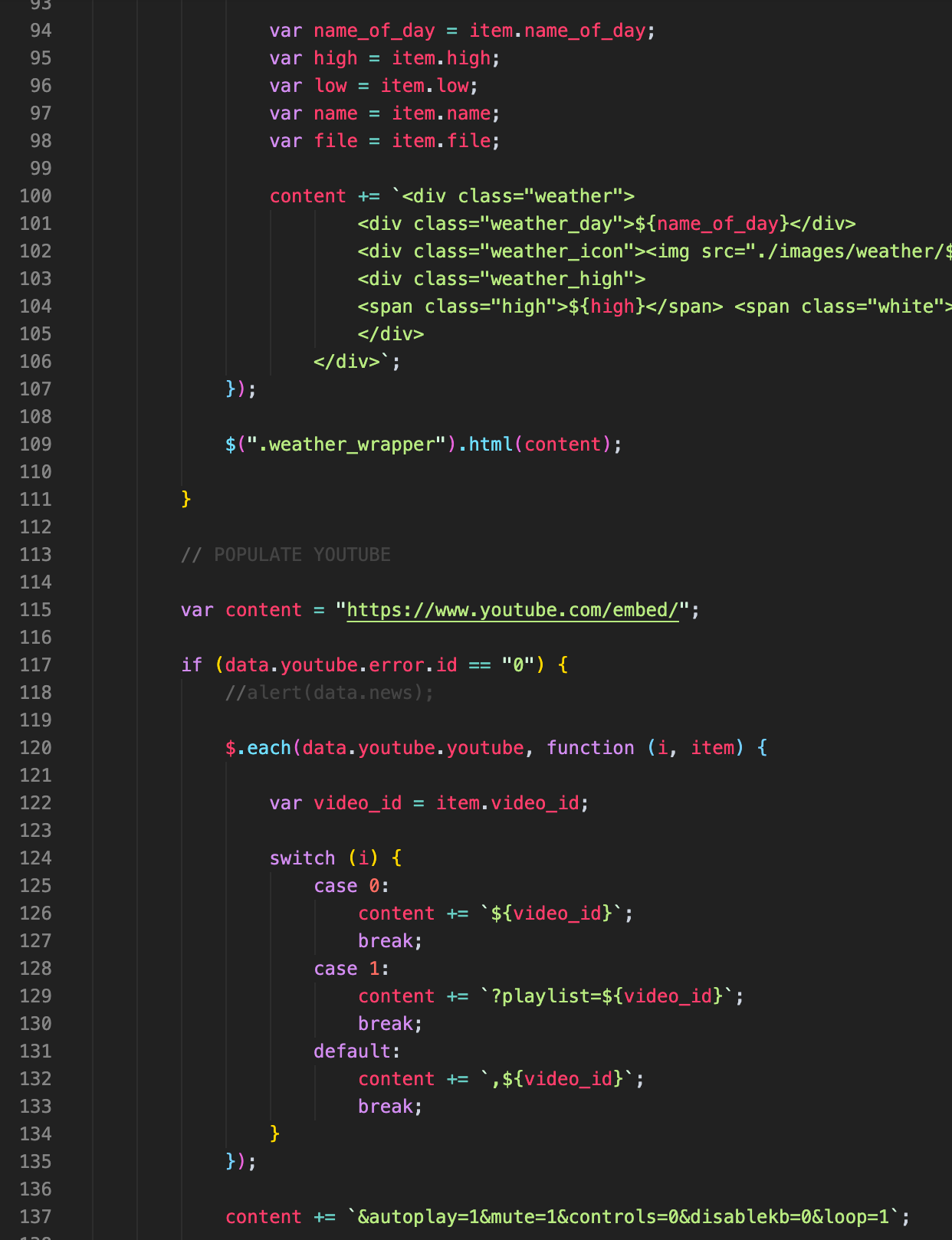
graphic design elements, code, gsap animations, svg elements and php/database work. The main point of
this project was to showcase how the digital world is here, and her to stay. This project shows how
different types of advertisements can be done, how updating information digitally is more effective, and
how design can be implemented in to make information look better.
Overall, the installation was designed to be intriguing, easy on the eye, and easy to use, ultimately
leaving users with a positive memorable experience.
Objective
The objective of this project was to create a series of different elements that connect well together in
a digital sign for Durham College. Much like a CP24 digital sign, everything looks like it belongs with
one another. Some challenges faced while doing this project were overall cohesiveness. The inclusion of
all elements throughout the signage while making them work together and look clean was difficult, but a
good challenge.There are several parts of this project that are very different from one another,such as
the logo pane and weather section was a lot of design and basic
html/css coding.
The motion graphic ads used GSAP
animation skills, and the promotional ads used Adobe After Effects. This was a really good challenge, as
it was well rounded to make sure that all of my skills were used throughout. On the other end of things,
JavaScript and databases were used throughout very frequently. Working with the database was sometimes
difficult as it is an additional skill that is not focused on as much. All of these skills were built up
during this project, and the final digital sign came together very nicely.
The process
The process for creating this project began with planning. Sketches and ideas put forward while following
the Durham College brand guidelines. After sketching, the comp was made with all of the assets laid out in
their respective spots. At this point, one comp was made and the feedback would direct me to the second
version of the layout. The first designs started very boxed in and somewhat bland in a way. The feedback
encouraged me to add more of the secondary colours and make the design more fluid throughout. The next phase
of the project was to create the logo pane and date and time to have it working in the digital version. This
section had a main focus on getting the spacing and alignment just right.
Next was the ticker tape and news pane. These sections had emphasis on colour and hierarchy. The weather
pane was next, which required for me to make 18 different, well thought out weather condition icons to
display. That was a main focus for this section, as they are the first that you see when looking at the
weather pane. All that was left after these sections, was the motion graphic gsap animation ads, and the
motion graphic promotional videos. Three animated advertisements were made with graphics and gsap coding to
add exciting transitions and appeal. The three promotional videos were created in Adobe After Effects with
the overall theme in mind.
This digital signage was made for Durham College for one of their flat screen tv’s throughout the college
itself. These digital signs are meant to have important information pertaining to the specific day,
including: the time, date, weather, menu items, advertisements and more. This can be very helpful to people
walking through the college and this type of signage is very popular in the world, so they are very relevant
to all.
The deliverable
This station consists of a large display monitor and a small waist-height pedestal that contains a leap
motion controller. This equipment allows the user to interact with the station without having to touch
anything; ultimately, this station demonstrates a take on augmented reality via an alternate experimental
device to get a 360° view of the backpack. Like the other stations, the user is greeted with an animated
screen, offering some brief descriptions alongside instructions on how to interact with the device. The user
will be prompted to interact with the product on screen by following the steps shown in the instructional
tutorial animation. Similar to the previous station, this screensaver will re-emerge after a specified idle
time, resetting the experience.
Once the user places their hand 6 inches above the pedestal that is in front of them, they will notice a
virtual hand appear on screen that mimics their movements. As the user swipes their hand either left or
right, the backpack will rotate to its stop points, showcasing different features of the backpack. When the
user is at a stop point, instructions will appear, letting them know that they can swipe their hand up to
view more details about the backpack's features highlighted on the stop point screen. The user can continue
doing the previously mentioned actions until they make a full rotation of the backpack (get a full 360° look
of the backpack). The user fully controls this station by using different hand gestures over the pedestal.